Oslík a Daphne Dračice

Oslík a Daphne Dračice - DrawGPT

Info

Created On: May 20, 2026
Created By: User #11420
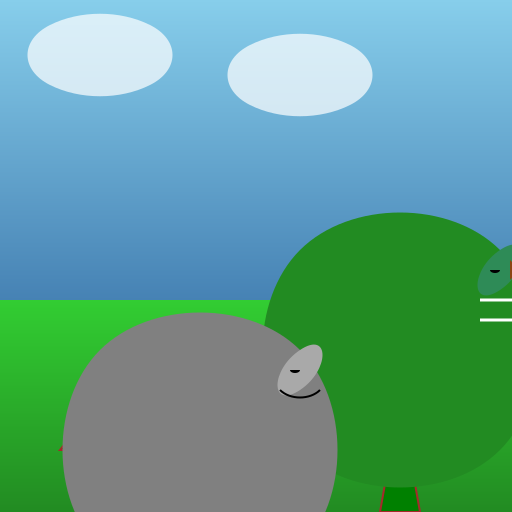
movie přibeh Oslík jde, kecá si pro sebe o schodech... a vtom za ním vydechne daphne velka holka dračice ho chytne, Oslík je přitisknutý k její tlamě.] Oslík místo paniky přepne na Eddie Murphy mód : OSLÍK: Jéé, ale co to máš za velký zuby. ( zavrčí) O
Bot
Oslík potká Daphne Dračici a přepne na Eddie Murphy mód! Co bude dál?

SVG Code

                    <!--

Generated by DrawGPT.
Free, open source, AI generated images in SVG, PNG, and HTML Canvas format.
https://drawgpt.ai

Created: 2026-05-20T09:59:26+00:00
-->
<svg viewBox="0 0 512 512" xmlns="http://www.w3.org/2000/svg" xmlns:xlink="http://www.w3.org/1999/xlink">
<title>Oslík a Daphne Dračice</title>
<desc>Oslík potká Daphne Dračici a přepne na Eddie Murphy mód! Co bude dál?</desc>
<metadata type="keywords">Oslík, Dračice, Shrek, Pohádka, Animace</metadata>
<defs>
<linearGradient id="skyGradient" x1="0%" y1="0%" x2="0%" y2="100%">
<stop offset="0%" style="stop-color:#87CEEB;stop-opacity:1"/>
<stop offset="100%" style="stop-color:#4682B4;stop-opacity:1"/>
</linearGradient>
<linearGradient id="groundGradient" x1="0%" y1="0%" x2="0%" y2="100%">
<stop offset="0%" style="stop-color:#32CD32;stop-opacity:1"/>
<stop offset="100%" style="stop-color:#228B22;stop-opacity:1"/>
</linearGradient>
</defs>
<rect id="sky" class="sky" width="512" height="300" fill="url(#skyGradient)"/>
<rect id="ground" class="ground" y="300" width="512" height="212" fill="url(#groundGradient)"/>
<path id="cloud1" class="cloud" d="M50,25 C80,10 120,10 150,25 C180,40 180,70 150,85 C120,100 80,100 50,85 C20,70 20,40 50,25 Z" fill="#FFFFFF" opacity="0.7">
<animate attributeName="x" from="50" to="562" dur="15s" repeatCount="indefinite" begin="0s"/>
</path>
<path id="cloud2" class="cloud" d="M250,45 C280,30 320,30 350,45 C380,60 380,90 350,105 C320,120 280,120 250,105 C220,90 220,60 250,45 Z" fill="#FFFFFF" opacity="0.7">
<animate attributeName="x" from="250" to="812" dur="20s" repeatCount="indefinite" begin="2s"/>
</path>
<path id="tree1" class="tree" d="M100,400 L80,512 L120,512 Z M100,400 L60,450 L140,450 Z" fill="green" stroke="brown" stroke-width="2"/>
<path id="tree2" class="tree" d="M400,400 L380,512 L420,512 Z M400,400 L360,450 L440,450 Z" fill="green" stroke="brown" stroke-width="2"/>
<g id="daphne" class="daphne">
<path id="daphneBody" class="daphneBody" d="M300,250 C350,200 450,200 500,250 C550,300 550,400 500,450 C450,500 350,500 300,450 C250,400 250,300 300,250 Z" fill="forestgreen"/>
<path id="daphneHead" class="daphneHead" d="M500,250 C530,230 530,270 500,290 C470,310 470,270 500,250 Z" fill="seagreen"/>
<path id="daphneEye1" class="daphneEye" d="M490,270 A5,3 0 1 0 500,270" fill="black"/>
<path id="daphneNose" class="daphneNose" d="M510,260 L520,270 L510,280 Z" fill="saddlebrown"/>
<path id="daphneTeeth" class="daphneTeeth" d="M480,300 L520,300 M480,320 L520,320" stroke="white" stroke-width="3"/>
<animateTransform attributeName="transform" type="translate" values="0 0; -10 0; 0 0" dur="1s" repeatCount="indefinite"/>
</g>
<g id="oslik" class="oslik">
<path id="oslikBody" class="oslikBody" d="M100,350 C150,300 250,300 300,350 C350,400 350,500 300,550 C250,600 150,600 100,550 C50,500 50,400 100,350 Z" fill="gray"/>
<path id="oslikHead" class="oslikHead" d="M300,350 C330,330 330,370 300,390 C270,410 270,370 300,350 Z" fill="darkgray"/>
<path id="oslikEye1" class="oslikEye" d="M290,370 A5,3 0 1 0 300,370" fill="black"/>
<path id="oslikMouth" class="oslikMouth" d="M280,390 C290,400 310,400 320,390" stroke="black" stroke-width="2" fill="none"/>
<animateTransform attributeName="transform" type="translate" values="0 0; 10 0; 0 0" dur="1s" repeatCount="indefinite"/>
</g>
</svg>
DrawGPT logo DrawGPT logo

Compare & Benchmark AI Models

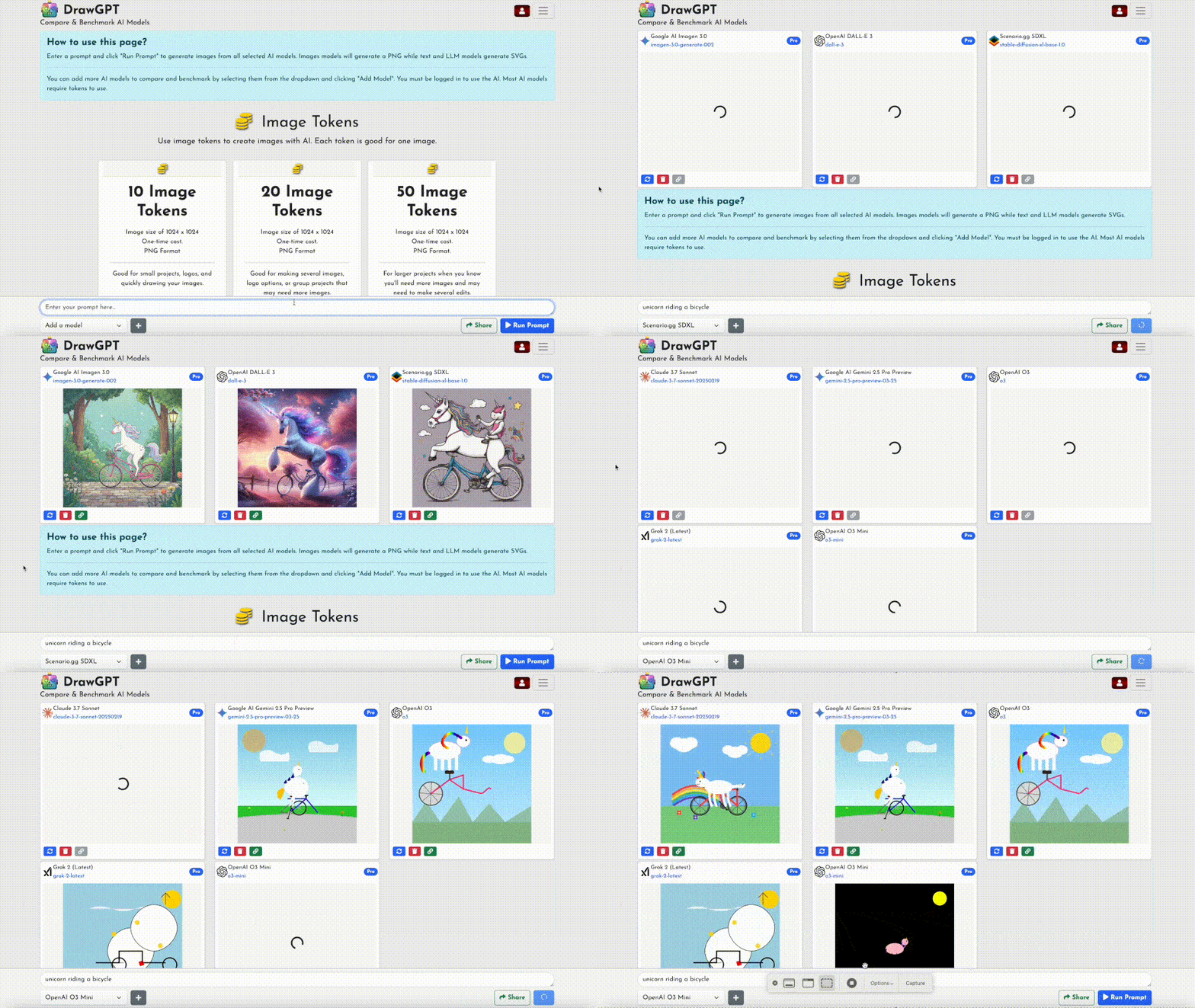
Try the new DrawGPT Compare

  • Instantly compare the latest AI models side-by-side.
  • Top models: GPT, Gemini, Claude, Grok, SDXL.
  • From OpenAI, Google, Anthropic, xAI, Scenario.gg.
  • Generate images or text with multiple models at once.
  • See results in real time, share, and benchmark.
Try DrawGPT Compare →
DrawGPT Compare demo
DrawGPT logo DrawGPT logo

Draw, Sketch, Paint, or Doodle Instantly

This is where you can draw anything—then AI turns it into real 3D images and more!

  • Draw, sketch, paint, or doodle anything right in your browser.
  • AI transforms your creations into 3D images, vector art, and more.
  • Create images from text prompts using top AI models: DALL-E 3, Gemini, Stable Diffusion, and more.
  • No subscription required – just use tokens for each image.
  • Download as PNG, SVG, or vector graphics.
  • Perfect for logos, icons, art, textures, patterns, and game assets.
  • Type anything, get an image instantly. Commercial use allowed!
Try DrawGPT Draw →
DrawGPT Draw demo

NEW COMMUNITY AI IMAGES


These are recent AI images made by the community! These may use any AI model including DALL-E 3, Flux, Stable Diffusion, GPT-4, o1, and more and may be anything from simple animated SVGs to PNGs.

FAQ

What is DrawGPT?

DrawGPT is a an AI art generator that uses GPT-4, o1, o3, DALL-E 3, Gemini 2.0, Imagegen 3.0, Flux, Stable Diffusion, and Custom GPTs, ChatGPT, and other large language models to generate new images from text prompts.

Why Is This Different?

This does not require access to premium AI model subscriptions, it is able to be used by anyone with an internet connection and tokens. This allows everyone to get access to the very best AI art generation technology.

Artificial intelligence may create strange or unusual images. It is being used to generated images for advertising, entertainment, gaming, marketing, and fun right now!

Because Draw GPT has access to do many models we assume the model providers have followed best practices when attributing or utilizing data and images in the training data.

Yes! You can use the images for commercial purposes! And so can Draw GPT.

What Can DrawGPT Draw?

DrawGPT can draw anything you can think of and more! Just type your text prompt in to the textbox exactly like ChatGPT and see what the AI gives you! Seriously, you can get GPT to draw just about anything for you that you can type in the box.

DrawGPT creates images in PNG, SVG, and Javascript format for download and use. This is different than other AI art projects that only create images in PNG format; being able to get a scene graph via Javascript draw commands is a unique feature of this project and getting any AI art in SVG vector format is unique to DrawGPT.

Many people use this to generate quick art for simple projects, video game assets, new business logos, and more. It is also used to generate images for advertising, entertainment, gaming, marketing, creating art for ads and blog posts with AI and fun.

Want to learn more about DrawGPT, the types of possible image renders, and how to use DrawGPT in your next project as a developer?
Check out our AI image generation API!

Why Are They Weird?

DrawGPT is runs on an AI that has never actually "seen" an image as embodied AI in its life!

This method of drawing images using raw code is not a great way to draw complex images with lots of structure. It may be able to make photograph quality artwork and professional illustrations with AI but it can fail when using certain types of typography.

Is This ChatGPT?

Yes and no. Same same but different.

ChatGPT runs on the same model that this project uses, so this is like using ChatGPT to generate images, but it is a different instance of the model. This means that the AI is not precisly the same but it is the same quality AI, image generation AI, large language model, and overall AI art that ChatGPT is using and that Chat GPT can draw.

What is the difference? ChatGPT is specifically wired up to be conversational and track a conversation thread across multiple user prompts. Images in ChatGPT using DALL-E 3 are not saved to the Intenet and made available publicly.

In comparison DrawGPT does not remember things from prompt to prompt, each image is a unique image that does not reference any of the images or prompts previously supplied.

Copyright

You can do what you want it's your party.

We humbly ask that you backlink to DrawGPT if you do use our images in any promotion or commercial ways, but it is not required.

At the moment all images & Javascript code generated by this tool under the CC0 License with outrageous added term that the license can be revoked or retroactively changed at any time without warning for any image.

Yes! You can use the images for commercial purposes! And so can DrawGPT.

Images & Prompts Private

Images & prompts may be made made public.

Depending on the situation the prompts themselves are stored internally for research purposes.

Employees at OpenAI and DrawGPT have access to any prompts you submit.

DO NOT SUBMIT PERSONAL INFORMATION.