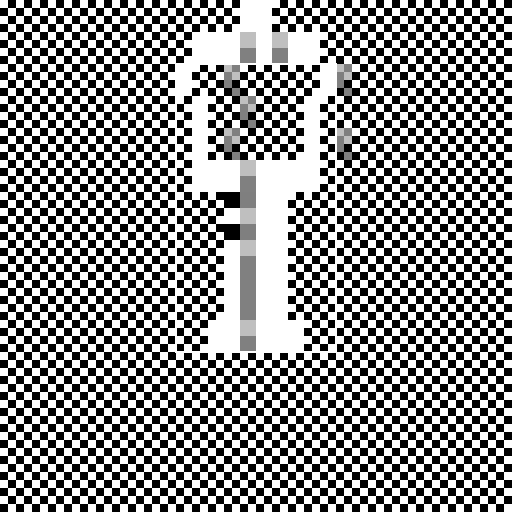

Javascript Code
                        // Rapper Bushido in a black and white wood


ctx.fillStyle = "black"; // Setting the background color to black

ctx.fillRect(0, 0, 512, 512); // Filling the canvas with black


// Drawing the wood texture

for (let x = 0; x < 512; x += 16) {

  for (let y = 0; y < 512; y += 16) {

    ctx.fillStyle = "white"; // Setting the color to white

    ctx.fillRect(x, y, 8, 8); // Drawing white squares

    ctx.fillRect(x + 8, y + 8, 8, 8); // Drawing white squares

  }

}


// Drawing Rapper Bushido

ctx.fillStyle = "white"; // Setting the color to white

ctx.fillRect(224, 192, 64, 128); // Drawing the body

ctx.fillRect(208, 320, 96, 32); // Drawing the legs

ctx.fillRect(192, 160, 128, 32); // Drawing the arms

ctx.fillRect(192, 128, 16, 32); // Drawing the left hand

ctx.fillRect(304, 128, 16, 32); // Drawing the right hand

ctx.fillRect(192, 96, 16, 32); // Drawing the left shoulder

ctx.fillRect(304, 96, 16, 32); // Drawing the right shoulder

ctx.fillRect(176, 64, 16, 32); // Drawing the left side of the head

ctx.fillRect(320, 64, 16, 32); // Drawing the right side of the head

ctx.fillRect(192, 32, 128, 32); // Drawing the top of the head

ctx.fillRect(240, 0, 32, 32); // Drawing the cap


// Adding details to Rapper Bushido

ctx.fillStyle = "black"; // Setting the color to black

ctx.fillRect(224, 192, 32, 16); // Drawing the eyes

ctx.fillRect(224, 224, 32, 16); // Drawing the mouth


// Adding shading to Rapper Bushido

ctx.fillStyle = "rgba(0, 0, 0, 0.5)"; // Setting the color to semi-transparent black

ctx.fillRect(240, 192, 16, 128); // Adding shading to the body

ctx.fillRect(240, 320, 16, 32); // Adding shading to the legs

ctx.fillRect(240, 160, 16, 32); // Adding shading to the arms

ctx.fillRect(224, 128, 16, 32); // Adding shading to the left hand

ctx.fillRect(336, 128, 16, 32); // Adding shading to the right hand

ctx.fillRect(240, 96, 16, 32); // Adding shading to the shoulders

ctx.fillRect(224, 64, 16, 32); // Adding shading to the head

ctx.fillRect(336, 64, 16, 32); // Adding shading to the head

ctx.fillRect(240, 32, 16, 32); // Adding shading to the top of the head

ctx.fillRect(272, 32, 16, 32); // Adding shading to the top of the head


// Adding highlights to Rapper Bushido

ctx.fillStyle = "rgba(255, 255, 255, 0.5)"; // Setting the color to semi-transparent white

ctx.fillRect(240, 192, 16, 64); // Adding highlights to the body

ctx.fillRect(240, 320, 16, 16); // Adding highlights to the legs

ctx.fillRect(240, 160, 16, 16); // Adding highlights to the arms

ctx.fillRect(224, 128, 16, 16); // Adding highlights to the left hand

ctx.fillRect(336, 128, 16, 16); // Adding highlights to the right hand

ctx.fillRect(240, 96, 16, 16); // Adding highlights to the shoulders

ctx.fillRect(224, 64, 16, 16); // Adding highlights to the head

ctx.fillRect(336, 64, 16, 16); // Adding highlights to the head

ctx.fillRect(240, 32, 16, 16); // Adding highlights to the top of the head

ctx.fillRect(272, 32, 16, 16); // Adding highlights to the top of the head


// Adding some artistic flair

ctx.strokeStyle = "white"; // Setting the stroke color to white

ctx.lineWidth = 2; // Setting the stroke width to 2 pixels

ctx.strokeRect(176, 64, 160, 288); // Drawing a border around Rapper Bushido


// Mission accomplished! Rapper Bushido is now in a black and white wood.

// Just imagine him rapping his heart out surrounded by the beauty of nature.

// Let the rhythm flow through the trees! 🎵
AI
Model: gpt-3.5-turbo-16k-0613
Time: 25 seconds
Prompt Tokens: 183
Completion Tokens: 1074
Total Token Cost: 1257


 balloon party
 beautiful beach
 cute puppy dog
 happy cat
 house
house