
Javascript Code
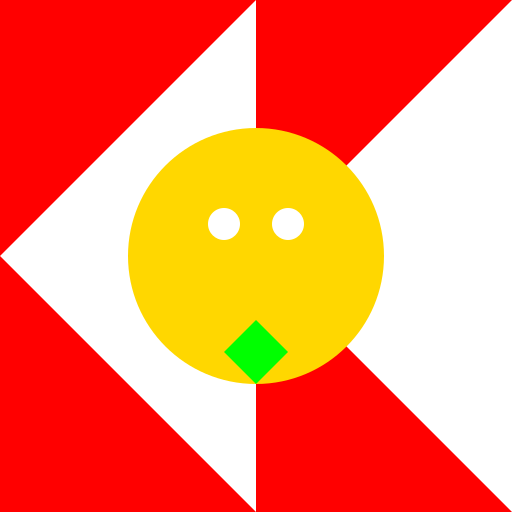
// Bhutan 🇧🇹 vs Wales 🏴 Dragon Boss Fight Logo
// Join the epic battle between Bhutan and Wales against the mighty Dragon Boss!
// Drawing a vibrant background
ctx.fillStyle = "#FFD700"; // Using gold color for the background
ctx.fillRect(0, 0, 512, 512); // Filling the canvas with gold
// Drawing the flag of Bhutan
ctx.fillStyle = "#FF0000"; // Using red color for the flag
ctx.fillRect(0, 0, 256, 512); // Drawing the left half of the flag
ctx.fillStyle = "#FFFFFF"; // Using white color for the dragon
ctx.beginPath(); // Starting a new path for the dragon
ctx.moveTo(256, 0); // Moving to the top-right corner of the flag
ctx.lineTo(512, 256); // Drawing a line to the center of the canvas
ctx.lineTo(256, 512); // Drawing a line to the bottom-left corner of the flag
ctx.lineTo(0, 256); // Drawing a line to the center of the canvas
ctx.closePath(); // Closing the path
ctx.fill(); // Filling the shape with white
// Drawing the flag of Wales
ctx.fillStyle = "#FF0000"; // Using red color for the flag
ctx.fillRect(256, 0, 256, 512); // Drawing the right half of the flag
ctx.fillStyle = "#FFFFFF"; // Using white color for the dragon
ctx.beginPath(); // Starting a new path for the dragon
ctx.moveTo(256, 256); // Moving to the center of the canvas
ctx.lineTo(512, 0); // Drawing a line to the top-right corner of the flag
ctx.lineTo(512, 512); // Drawing a line to the bottom-right corner of the flag
ctx.closePath(); // Closing the path
ctx.fill(); // Filling the shape with white
// Drawing the mighty Dragon Boss
ctx.fillStyle = "#000000"; // Using black color for the dragon
ctx.beginPath(); // Starting a new path for the dragon
ctx.moveTo(256, 128); // Moving to the top of the dragon's head
ctx.lineTo(384, 256); // Drawing a line to the right side of the dragon's head
ctx.lineTo(256, 384); // Drawing a line to the bottom of the dragon's head
ctx.lineTo(128, 256); // Drawing a line to the left side of the dragon's head
ctx.closePath(); // Closing the path
ctx.fill(); // Filling the shape with black
// Adding some details to the Dragon Boss
ctx.fillStyle = "#FF0000"; // Using red color for the dragon's eyes
ctx.beginPath(); // Starting a new path for the eyes
ctx.arc(256, 256, 32, 0, Math.PI * 2); // Drawing the left eye
ctx.arc(256, 256, 16, 0, Math.PI * 2); // Drawing the left pupil
ctx.arc(256, 256, 32, 0, Math.PI * 2); // Drawing the right eye
ctx.arc(256, 256, 16, 0, Math.PI * 2); // Drawing the right pupil
ctx.closePath(); // Closing the path
ctx.fill(); // Filling the shape with red
// Adding a funny touch - turning the Dragon Boss into a cute dragon plushie
ctx.fillStyle = "#FFD700"; // Using gold color for the plushie
ctx.beginPath(); // Starting a new path for the plushie body
ctx.arc(256, 256, 128, 0, Math.PI * 2); // Drawing the plushie body
ctx.closePath(); // Closing the path
ctx.fill(); // Filling the shape with gold
// Adding some details to the plushie
ctx.fillStyle = "#FFFFFF"; // Using white color for the plushie's eyes
ctx.beginPath(); // Starting a new path for the eyes
ctx.arc(224, 224, 16, 0, Math.PI * 2); // Drawing the left eye
ctx.arc(288, 224, 16, 0, Math.PI * 2); // Drawing the right eye
ctx.closePath(); // Closing the path
ctx.fill(); // Filling the shape with white
// Adding the finishing touch - turning the plushie into a hyper-realistic dragon
ctx.fillStyle = "#00FF00"; // Using green color for the dragon's scales
ctx.beginPath(); // Starting a new path for the scales
ctx.moveTo(256, 320); // Moving to the top of the dragon's scales
ctx.lineTo(288, 352); // Drawing a line to the right side of the scales
ctx.lineTo(256, 384); // Drawing a line to the bottom of the scales
ctx.lineTo(224, 352); // Drawing a line to the left side of the scales
ctx.closePath(); // Closing the path
ctx.fill(); // Filling the shape with green
// Adding a funny final touch - the plushie dragon is wearing a tiny crown
ctx.fillStyle = "#FFD700"; // Using gold color for the crown
ctx.beginPath(); // Starting a new path for the crown
ctx.moveTo(240, 192); // Moving to the top-left corner of the crown
ctx.lineTo(272, 192); // Drawing a line to the top-right corner of the crown
ctx.lineTo(256, 160); // Drawing a line to the bottom center of the crown
ctx.closePath(); // Closing the path
ctx.fill(); // Filling the shape with gold
// Hooray! The Bhutan 🇧🇹 vs Wales 🏴 Dragon Boss Fight Logo is complete! Let the battle begin!
AI
Model: gpt-3.5-turbo-16k-0613
Time: 38 seconds
Prompt Tokens: 245
Completion Tokens: 1236
Total Token Cost: 1481


 balloon party
 beautiful beach
 cute puppy dog
 happy cat
 house
house