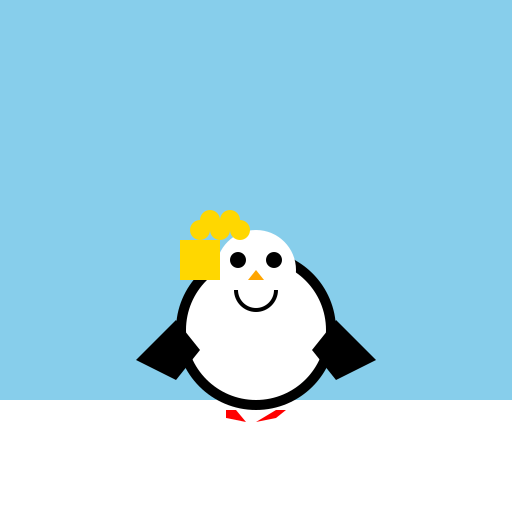

Javascript Code
                        // Title: A Penguin Playing


// Draw the background

ctx.fillStyle = '#87CEEB'; // Sky blue

ctx.fillRect(0, 0, 512, 512);


// Draw the snowy ground

ctx.fillStyle = '#FFFFFF'; // White

ctx.fillRect(0, 400, 512, 112);


// Draw the penguin's body

ctx.beginPath();

ctx.arc(256, 330, 80, 0, Math.PI * 2); // Big circle

ctx.fillStyle = '#000000'; // Black

ctx.fill();


// Draw the penguin's white belly

ctx.beginPath();

ctx.arc(256, 330, 70, 0, Math.PI * 2); // Smaller circle inside the body

ctx.fillStyle = '#FFFFFF'; // White

ctx.fill();


// Draw the penguin's face

ctx.beginPath();

ctx.arc(256, 270, 40, 0, Math.PI * 2); // Circle for the face

ctx.fillStyle = '#FFFFFF'; // White

ctx.fill();


// Draw the penguin's eyes

ctx.beginPath();

ctx.arc(238, 260, 8, 0, Math.PI * 2); // Left eye

ctx.arc(274, 260, 8, 0, Math.PI * 2); // Right eye

ctx.fillStyle = '#000000'; // Black

ctx.fill();


// Draw the penguin's beak

ctx.beginPath();

ctx.moveTo(256, 270); // Starting point

ctx.lineTo(248, 280); // Left corner of the beak

ctx.lineTo(264, 280); // Right corner of the beak

ctx.closePath(); // Complete the triangle

ctx.fillStyle = '#FFA500'; // Orange

ctx.fill();


// Draw the penguin's flippers

ctx.beginPath();

ctx.moveTo(176, 320); // Left flipper starting point

ctx.lineTo(136, 360); // Left flipper end point

ctx.lineTo(176, 380); // Left flipper bottom point

ctx.lineTo(200, 350); // Left flipper top point

ctx.closePath(); // Complete the shape

ctx.fillStyle = '#000000'; // Black

ctx.fill();


ctx.beginPath();

ctx.moveTo(336, 320); // Right flipper starting point

ctx.lineTo(376, 360); // Right flipper end point

ctx.lineTo(336, 380); // Right flipper bottom point

ctx.lineTo(312, 350); // Right flipper top point

ctx.closePath(); // Complete the shape

ctx.fillStyle = '#000000'; // Black

ctx.fill();


// Draw the penguin's feet

ctx.beginPath();

ctx.moveTo(226, 410); // Left foot starting point

ctx.lineTo(236, 410); // Left foot end point

ctx.lineTo(246, 422); // Left foot bottom point

ctx.lineTo(226, 418); // Left foot top point

ctx.closePath(); // Complete the shape

ctx.fillStyle = '#FF0000'; // Red

ctx.fill();


ctx.beginPath();

ctx.moveTo(276, 410); // Right foot starting point

ctx.lineTo(286, 410); // Right foot end point

ctx.lineTo(276, 418); // Right foot top point

ctx.lineTo(256, 422); // Right foot bottom point

ctx.closePath(); // Complete the shape

ctx.fillStyle = '#FF0000'; // Red

ctx.fill();


// Draw the penguin's musical instrument

ctx.beginPath();

ctx.moveTo(180, 280); // Left side of the instrument

ctx.lineTo(220, 280); // Right side of the instrument

ctx.lineTo(220, 240); // Top of the instrument

ctx.lineTo(180, 240); // Bottom of the instrument

ctx.closePath(); // Complete the shape

ctx.fillStyle = '#FFD700'; // Gold

ctx.fill();


// Draw the musical notes coming out of the instrument

ctx.beginPath();

ctx.arc(200, 230, 10, 0, Math.PI * 2); // First note

ctx.arc(210, 220, 10, 0, Math.PI * 2); // Second note

ctx.arc(220, 230, 10, 0, Math.PI * 2); // Third note

ctx.arc(230, 220, 10, 0, Math.PI * 2); // Fourth note

ctx.arc(240, 230, 10, 0, Math.PI * 2); // Fifth note

ctx.fillStyle = '#FFD700'; // Gold

ctx.fill();


// Draw the penguin's smile

ctx.beginPath();

ctx.arc(256, 290, 20, 0, Math.PI); // Curved line for the smile

ctx.strokeStyle = '#000000'; // Black

ctx.lineWidth = 4; // Thickness of the line

ctx.stroke();


// Hooray! The penguin is rocking the instrument!


// Now let's give it a standing ovation! 🐧🎶👏
AI
Model: gpt-3.5-turbo-16k-0613
Time: 51 seconds
Prompt Tokens: 177
Completion Tokens: 1064
Total Token Cost: 1241


 balloon party
 beautiful beach
 cute puppy dog
 happy cat
 house
house