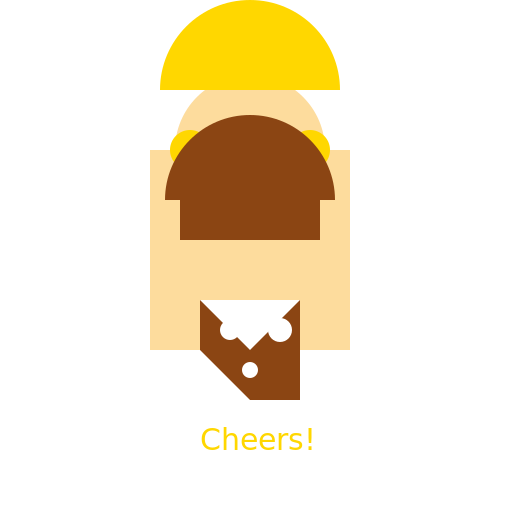

Javascript Code
                        // Title: "The Genasi of Beer"


// Creating the canvas


// Drawing the genasi body

ctx.fillStyle = '#FDDC9D'; // Warm skin tone

ctx.fillRect(150, 150, 200, 200); // Body


// Drawing the genasi head

ctx.beginPath();

ctx.arc(250, 150, 75, 0, Math.PI * 2, false); // Head shape

ctx.fill();


// Drawing the genasi hair

ctx.fillStyle = '#FFD700'; // Golden hair color

ctx.beginPath();

ctx.arc(250, 90, 90, 0, Math.PI, true); // Top hair

ctx.fill();


ctx.fillStyle = '#FFD700'; // Golden hair color

ctx.beginPath();

ctx.arc(190, 150, 20, 0, Math.PI * 2, false); // Left hair strand

ctx.fill();


ctx.fillStyle = '#FFD700'; // Golden hair color

ctx.beginPath();

ctx.arc(310, 150, 20, 0, Math.PI * 2, false); // Right hair strand

ctx.fill();


// Drawing the genasi eyes

ctx.fillStyle = '#006400'; // Dark green eyes

ctx.beginPath();

ctx.arc(230, 130, 10, 0, Math.PI * 2, false); // Left eye

ctx.fill();


ctx.fillStyle = '#006400'; // Dark green eyes

ctx.beginPath();

ctx.arc(270, 130, 10, 0, Math.PI * 2, false); // Right eye

ctx.fill();


// Drawing the genasi nose

ctx.fillStyle = '#FFDAB9'; // Light peach nose

ctx.beginPath();

ctx.arc(250, 160, 6, 0, Math.PI * 2, false); // Nose

ctx.fill();


// Drawing the genasi mouth

ctx.fillStyle = '#FFDAB9'; // Light peach mouth

ctx.fillRect(230, 180, 40, 10); // Mouth


// Drawing the genasi beard

ctx.fillStyle = '#8B4513'; // Dark brown beard color

ctx.beginPath();

ctx.arc(250, 200, 85, Math.PI, Math.PI * 2, false); // Beard shape

ctx.fill();


// Adding details to the beard

ctx.fillStyle = '#8B4513'; // Dark brown beard color

ctx.beginPath();

ctx.arc(250, 200, 70, Math.PI, Math.PI * 2, false); // Inner beard shape

ctx.fill();


ctx.fillStyle = '#8B4513'; // Dark brown beard color

ctx.fillRect(180, 160, 140, 80); // Mustache


// Drawing the genasi beer mug

ctx.fillStyle = '#8B4513'; // Dark brown beer mug color

ctx.beginPath();

ctx.moveTo(200, 300); // Left side of the mug

ctx.lineTo(300, 300); // Bottom side of the mug

ctx.lineTo(300, 400); // Right side of the mug

ctx.lineTo(250, 400); // Handle of the mug

ctx.lineTo(200, 350); // Top side of the mug

ctx.closePath();

ctx.fill();


// Adding foam to the beer mug

ctx.fillStyle = '#FFFFFF'; // White foam color

ctx.beginPath();

ctx.moveTo(200, 300); // Left side of the foam

ctx.lineTo(300, 300); // Bottom side of the foam

ctx.lineTo(250, 350); // Top side of the foam

ctx.closePath();

ctx.fill();


// Adding bubbles to the beer

ctx.fillStyle = '#FFFFFF'; // White bubble color

ctx.beginPath();

ctx.arc(230, 330, 10, 0, Math.PI * 2, false); // First bubble

ctx.fill();


ctx.fillStyle = '#FFFFFF'; // White bubble color

ctx.beginPath();

ctx.arc(280, 330, 12, 0, Math.PI * 2, false); // Second bubble

ctx.fill();


ctx.fillStyle = '#FFFFFF'; // White bubble color

ctx.beginPath();

ctx.arc(250, 370, 8, 0, Math.PI * 2, false); // Third bubble

ctx.fill();


// Adding a cheerful expression

ctx.strokeStyle = '#000000'; // Black stroke color for text

ctx.lineWidth = 2; // Stroke width for text

ctx.font = '30px Arial'; // Font for text

ctx.fillStyle = '#FFD700'; // Golden text color

ctx.fillText('Cheers!', 200, 450); // Text content and position


// Adding a funny comment

// "This genasi knows how to have a good time, always with a mug of beer in hand!"
AI
Model: gpt-3.5-turbo-16k-0613
Time: 36 seconds
Prompt Tokens: 433
Completion Tokens: 1009
Total Token Cost: 1442


 balloon party
 beautiful beach
 cute puppy dog
 happy cat
 house
house