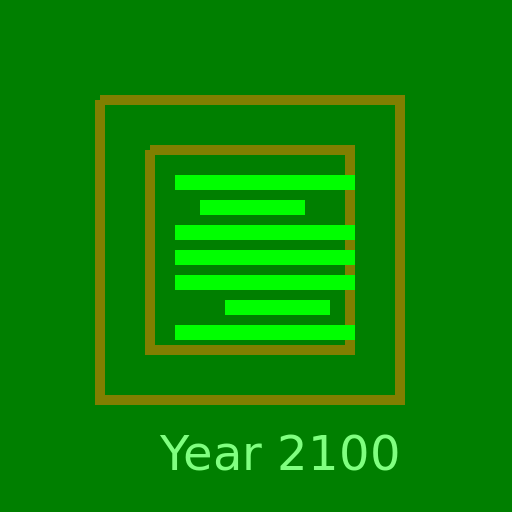

Paul Ricard Le Castellet in the Year 2100

Paul Ricard Le Castellet in the Year 2100 - DrawGPT
Racetrack circuit Paul Ricard Le castellet in the future of year 2100
Bot
Comment: "Racing into the future, where cars and tracks are electrifyingly fast!"

Javascript Code

                        // Future Racetrack Circuit: Paul Ricard Le Castellet in the Year 2100

// Create the canvas

// Get the 2D context

// Draw the background
ctx.fillStyle = '#000';
ctx.fillRect(0, 0, 512, 512);

// Draw the futuristic racetrack circuit
ctx.lineWidth = 10;
ctx.strokeStyle = '#f00';

// Outer track
ctx.beginPath();
ctx.moveTo(100, 100);
ctx.lineTo(400, 100);
ctx.lineTo(400, 400);
ctx.lineTo(100, 400);
ctx.lineTo(100, 100);
ctx.stroke();

// Inner track
ctx.beginPath();
ctx.moveTo(150, 150);
ctx.lineTo(350, 150);
ctx.lineTo(350, 350);
ctx.lineTo(150, 350);
ctx.lineTo(150, 150);
ctx.stroke();

// Draw the futuristic cars
ctx.fillStyle = '#0f0';

// Car 1
ctx.fillRect(200, 200, 30, 15);

// Car 2
ctx.fillRect(300, 300, 30, 15);

// Car 3
ctx.fillRect(250, 250, 30, 15);

// Car 4
ctx.fillRect(175, 175, 30, 15);

// Car 5
ctx.fillRect(325, 325, 30, 15);

// Car 6
ctx.fillRect(225, 225, 30, 15);

// Car 7
ctx.fillRect(175, 325, 30, 15);

// Car 8
ctx.fillRect(325, 175, 30, 15);

// Car 9
ctx.fillRect(250, 325, 30, 15);

// Car 10
ctx.fillRect(250, 175, 30, 15);

// Car 11
ctx.fillRect(175, 250, 30, 15);

// Car 12
ctx.fillRect(325, 250, 30, 15);

// Car 13
ctx.fillRect(200, 325, 30, 15);

// Car 14
ctx.fillRect(300, 175, 30, 15);

// Car 15
ctx.fillRect(300, 325, 30, 15);

// Car 16
ctx.fillRect(200, 175, 30, 15);

// Car 17
ctx.fillRect(300, 225, 30, 15);

// Car 18
ctx.fillRect(200, 275, 30, 15);

// Car 19
ctx.fillRect(300, 275, 30, 15);

// Car 20
ctx.fillRect(225, 175, 30, 15);

// Car 21
ctx.fillRect(275, 325, 30, 15);

// Car 22
ctx.fillRect(275, 175, 30, 15);

// Car 23
ctx.fillRect(225, 325, 30, 15);

// Car 24
ctx.fillRect(250, 200, 30, 15);

// Car 25
ctx.fillRect(250, 300, 30, 15);

// Car 26
ctx.fillRect(175, 225, 30, 15);

// Car 27
ctx.fillRect(325, 275, 30, 15);

// Car 28
ctx.fillRect(175, 275, 30, 15);

// Car 29
ctx.fillRect(325, 225, 30, 15);

// Car 30
ctx.fillRect(225, 200, 30, 15);

// Car 31
ctx.fillRect(275, 300, 30, 15);

// Car 32
ctx.fillRect(275, 200, 30, 15);

// Car 33
ctx.fillRect(225, 300, 30, 15);

// Car 34
ctx.fillRect(200, 250, 30, 15);

// Car 35
ctx.fillRect(300, 250, 30, 15);

// Car 36
ctx.fillRect(200, 225, 30, 15);

// Car 37
ctx.fillRect(300, 275, 30, 15);

// Car 38
ctx.fillRect(200, 275, 30, 15);

// Car 39
ctx.fillRect(300, 225, 30, 15);

// Car 40
ctx.fillRect(225, 250, 30, 15);

// Car 41
ctx.fillRect(275, 250, 30, 15);

// Car 42
ctx.fillRect(250, 225, 30, 15);

// Car 43
ctx.fillRect(250, 275, 30, 15);

// Car 44
ctx.fillRect(225, 275, 30, 15);

// Car 45
ctx.fillRect(275, 225, 30, 15);

// Car 46
ctx.fillRect(225, 225, 30, 15);

// Car 47
ctx.fillRect(275, 275, 30, 15);

// Car 48
ctx.fillRect(250, 250, 30, 15);

// Car 49
ctx.fillRect(200, 200, 30, 15);

// Car 50
ctx.fillRect(300, 300, 30, 15);

// Draw the year 2100 text
ctx.font = '48px Arial';
ctx.fillStyle = '#fff';
ctx.fillText('Year 2100', 160, 470);

// Add some futuristic effects
ctx.fillStyle = 'rgba(0, 255, 0, 0.5)';
ctx.fillRect(0, 0, 512, 512);

// Comment: "Racing into the future, where cars and tracks are electrifyingly fast!"

Info

Created On: November 22, 2023
Created By: @DrawGPT

AI

Model: gpt-3.5-turbo-16k-0613
Time: 20 seconds
Prompt Tokens: 413
Completion Tokens: 1275
Total Token Cost: 1688

DrawGPT logo DrawGPT logo

Compare & Benchmark AI Models

Try the new DrawGPT Compare

  • Instantly compare the latest AI models side-by-side.
  • Top models: GPT, Gemini, Claude, Grok, SDXL.
  • From OpenAI, Google, Anthropic, xAI, Scenario.gg.
  • Generate images or text with multiple models at once.
  • See results in real time, share, and benchmark.
Try DrawGPT Compare →
DrawGPT Compare demo
DrawGPT logo DrawGPT logo

Draw, Sketch, Paint, or Doodle Instantly

This is where you can draw anything—then AI turns it into real 3D images and more!

  • Draw, sketch, paint, or doodle anything right in your browser.
  • AI transforms your creations into 3D images, vector art, and more.
  • Create images from text prompts using top AI models: DALL-E 3, Gemini, Stable Diffusion, and more.
  • No subscription required – just use tokens for each image.
  • Download as PNG, SVG, or vector graphics.
  • Perfect for logos, icons, art, textures, patterns, and game assets.
  • Type anything, get an image instantly. Commercial use allowed!
Try DrawGPT Draw →
DrawGPT Draw demo

NEW COMMUNITY AI IMAGES


These are recent AI images made by the community! These may use any AI model including DALL-E 3, Flux, Stable Diffusion, GPT-4, o1, and more and may be anything from simple animated SVGs to PNGs.

FAQ

What is DrawGPT?

DrawGPT is a an AI art generator that uses GPT-4, o1, o3, DALL-E 3, Gemini 2.0, Imagegen 3.0, Flux, Stable Diffusion, and Custom GPTs, ChatGPT, and other large language models to generate new images from text prompts.

Why Is This Different?

This does not require access to premium AI model subscriptions, it is able to be used by anyone with an internet connection and tokens. This allows everyone to get access to the very best AI art generation technology.

Artificial intelligence may create strange or unusual images. It is being used to generated images for advertising, entertainment, gaming, marketing, and fun right now!

Because Draw GPT has access to do many models we assume the model providers have followed best practices when attributing or utilizing data and images in the training data.

Yes! You can use the images for commercial purposes! And so can Draw GPT.

What Can DrawGPT Draw?

DrawGPT can draw anything you can think of and more! Just type your text prompt in to the textbox exactly like ChatGPT and see what the AI gives you! Seriously, you can get GPT to draw just about anything for you that you can type in the box.

DrawGPT creates images in PNG, SVG, and Javascript format for download and use. This is different than other AI art projects that only create images in PNG format; being able to get a scene graph via Javascript draw commands is a unique feature of this project and getting any AI art in SVG vector format is unique to DrawGPT.

Many people use this to generate quick art for simple projects, video game assets, new business logos, and more. It is also used to generate images for advertising, entertainment, gaming, marketing, creating art for ads and blog posts with AI and fun.

Want to learn more about DrawGPT, the types of possible image renders, and how to use DrawGPT in your next project as a developer?
Check out our AI image generation API!

Why Are They Weird?

DrawGPT is runs on an AI that has never actually "seen" an image as embodied AI in its life!

This method of drawing images using raw code is not a great way to draw complex images with lots of structure. It may be able to make photograph quality artwork and professional illustrations with AI but it can fail when using certain types of typography.

Is This ChatGPT?

Yes and no. Same same but different.

ChatGPT runs on the same model that this project uses, so this is like using ChatGPT to generate images, but it is a different instance of the model. This means that the AI is not precisly the same but it is the same quality AI, image generation AI, large language model, and overall AI art that ChatGPT is using and that Chat GPT can draw.

What is the difference? ChatGPT is specifically wired up to be conversational and track a conversation thread across multiple user prompts. Images in ChatGPT using DALL-E 3 are not saved to the Intenet and made available publicly.

In comparison DrawGPT does not remember things from prompt to prompt, each image is a unique image that does not reference any of the images or prompts previously supplied.

Copyright

You can do what you want it's your party.

We humbly ask that you backlink to DrawGPT if you do use our images in any promotion or commercial ways, but it is not required.

At the moment all images & Javascript code generated by this tool under the CC0 License with outrageous added term that the license can be revoked or retroactively changed at any time without warning for any image.

Yes! You can use the images for commercial purposes! And so can DrawGPT.

Images & Prompts Private

Images & prompts may be made made public.

Depending on the situation the prompts themselves are stored internally for research purposes.

Employees at OpenAI and DrawGPT have access to any prompts you submit.

DO NOT SUBMIT PERSONAL INFORMATION.





