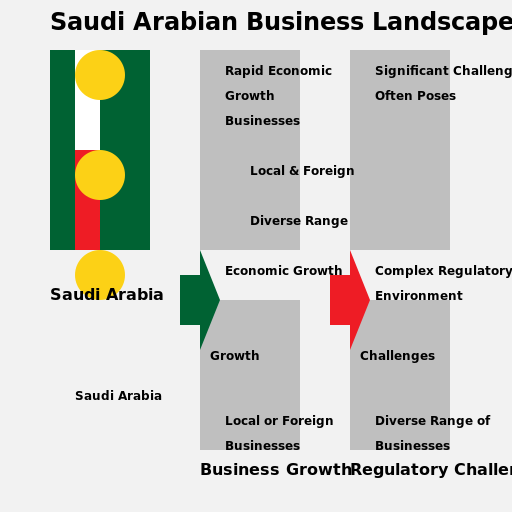

Javascript Code
                        // Title: "Saudi Arabian Business Landscape"


// Creating the canvas


// Getting the 2D context


// Drawing the background

ctx.fillStyle = '#f2f2f2';

ctx.fillRect(0, 0, 512, 512);


// Drawing the Saudi Arabian flag

ctx.fillStyle = '#006233';

ctx.fillRect(50, 50, 100, 200);


ctx.fillStyle = '#ffffff';

ctx.fillRect(75, 50, 25, 100);


ctx.fillStyle = '#ee1c25';

ctx.fillRect(75, 150, 25, 100);


ctx.beginPath();

ctx.arc(100, 75, 25, 0, Math.PI * 2);

ctx.fillStyle = '#fcd116';

ctx.fill();


ctx.beginPath();

ctx.arc(100, 175, 25, 0, Math.PI * 2);

ctx.fillStyle = '#fcd116';

ctx.fill();


ctx.beginPath();

ctx.arc(100, 275, 25, 0, Math.PI * 2);

ctx.fillStyle = '#fcd116';

ctx.fill();


// Drawing the business buildings

ctx.fillStyle = '#bfbfbf';

ctx.fillRect(200, 50, 100, 200);


ctx.fillStyle = '#bfbfbf';

ctx.fillRect(350, 50, 100, 200);


ctx.fillStyle = '#bfbfbf';

ctx.fillRect(200, 300, 100, 150);


ctx.fillStyle = '#bfbfbf';

ctx.fillRect(350, 300, 100, 150);


// Adding label for Saudi Arabia

ctx.font = 'bold 16px Arial';

ctx.fillStyle = '#000000';

ctx.fillText('Saudi Arabia', 50, 300);


// Adding label for Business Growth

ctx.font = 'bold 16px Arial';

ctx.fillStyle = '#000000';

ctx.fillText('Business Growth', 200, 475);


// Adding label for Regulatory Challenges

ctx.font = 'bold 16px Arial';

ctx.fillStyle = '#000000';

ctx.fillText('Regulatory Challenges', 350, 475);


// Adding arrow to show growth

ctx.beginPath();

ctx.moveTo(180, 275);

ctx.lineTo(200, 275);

ctx.lineTo(200, 250);

ctx.lineTo(220, 300);

ctx.lineTo(200, 350);

ctx.lineTo(200, 325);

ctx.lineTo(180, 325);

ctx.fillStyle = '#006233';

ctx.fill();


// Adding arrow to show challenges

ctx.beginPath();

ctx.moveTo(330, 275);

ctx.lineTo(350, 275);

ctx.lineTo(350, 250);

ctx.lineTo(370, 300);

ctx.lineTo(350, 350);

ctx.lineTo(350, 325);

ctx.lineTo(330, 325);

ctx.fillStyle = '#ee1c25';

ctx.fill();


// Adding text for challenges

ctx.font = 'bold 12px Arial';

ctx.fillStyle = '#000000';

ctx.fillText('Challenges', 360, 360);


// Adding text for growth

ctx.font = 'bold 12px Arial';

ctx.fillStyle = '#000000';

ctx.fillText('Growth', 210, 360);


// Adding text for businesses

ctx.font = 'bold 12px Arial';

ctx.fillStyle = '#000000';

ctx.fillText('Businesses', 225, 125);


// Adding text for local and foreign

ctx.font = 'bold 12px Arial';

ctx.fillStyle = '#000000';

ctx.fillText('Local & Foreign', 250, 175);


// Adding text for diverse range

ctx.font = 'bold 12px Arial';

ctx.fillStyle = '#000000';

ctx.fillText('Diverse Range', 250, 225);


// Adding text for economic growth

ctx.font = 'bold 12px Arial';

ctx.fillStyle = '#000000';

ctx.fillText('Economic Growth', 225, 275);


// Adding text for complex regulatory environment

ctx.font = 'bold 12px Arial';

ctx.fillStyle = '#000000';

ctx.fillText('Complex Regulatory', 375, 275);

ctx.fillText('Environment', 375, 300);


// Adding text for local or foreign

ctx.font = 'bold 12px Arial';

ctx.fillStyle = '#000000';

ctx.fillText('Local or Foreign', 225, 425);


// Adding text for businesses

ctx.font = 'bold 12px Arial';

ctx.fillStyle = '#000000';

ctx.fillText('Businesses', 225, 450);


// Adding text for Saudi Arabia

ctx.font = 'bold 12px Arial';

ctx.fillStyle = '#000000';

ctx.fillText('Saudi Arabia', 75, 400);


// Adding text for diverse range

ctx.font = 'bold 12px Arial';

ctx.fillStyle = '#000000';

ctx.fillText('Diverse Range of', 375, 425);

ctx.fillText('Businesses', 375, 450);


// Adding text for rapid economic growth

ctx.font = 'bold 12px Arial';

ctx.fillStyle = '#000000';

ctx.fillText('Rapid Economic', 225, 75);

ctx.fillText('Growth', 225, 100);


// Adding text for significant challenges

ctx.font = 'bold 12px Arial';

ctx.fillStyle = '#000000';

ctx.fillText('Significant Challenges', 375, 75);


// Adding text for often poses

ctx.font = 'bold 12px Arial';

ctx.fillStyle = '#000000';

ctx.fillText('Often Poses', 375, 100);


// Adding text for Saudi Arabian Business Landscape

ctx.font = 'bold 24px Arial';

ctx.fillStyle = '#000000';

ctx.fillText('Saudi Arabian Business Landscape', 50, 30);


// Adding a funny comment

// "Watch out for the business buildings! They're growing faster than a cactus in the desert!"
AI
Model: gpt-3.5-turbo-16k-0613
Time: 42 seconds
Prompt Tokens: 434
Completion Tokens: 1230
Total Token Cost: 1664


 balloon party
 beautiful beach
 cute puppy dog
 happy cat
 house
house