Info
Created On: March 11, 2026
Created By: User #17131


SVG Code
                    <!--


Generated by DrawGPT.

Free, open source, AI generated images in SVG, PNG, and HTML Canvas format.

https://drawgpt.ai


Created: 2026-03-11T12:51:03+00:00

-->

<svg   viewBox="0 0 512 512" xmlns="http://www.w3.org/2000/svg" xmlns:xlink="http://www.w3.org/1999/xlink">

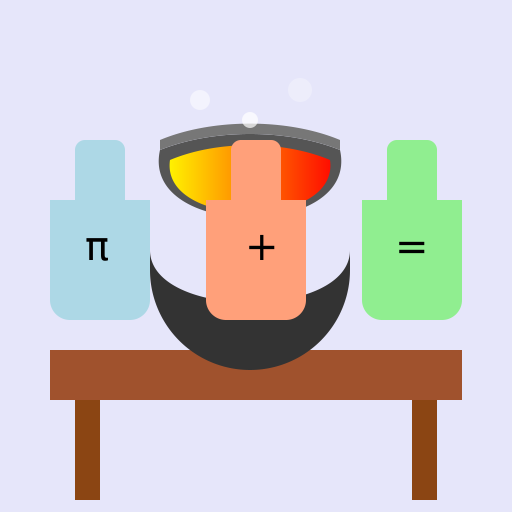
  <title>Math Alchemy!</title>

  <desc>Turning theorems into potions, one variable at a time! Who knew calculus could cure the common cold?</desc>

  <metadata type="keywords">Alchemy, Math, Symbols, Equations, Science</metadata>

  <defs>

    <linearGradient id="grad1" x1="0%" y1="0%" x2="100%" y2="0%">

      <stop offset="0%" style="stop-color:rgb(255,255,0);stop-opacity:1" />

      <stop offset="100%" style="stop-color:rgb(255,0,0);stop-opacity:1" />

    </linearGradient>

    <linearGradient id="grad2" x1="0%" y1="0%" x2="100%" y2="0%">

      <stop offset="0%" style="stop-color:rgb(0,255,255);stop-opacity:1" />

      <stop offset="100%" style="stop-color:rgb(0,0,255);stop-opacity:1" />

    </linearGradient>

    <filter id="shadow">

      <feDropShadow dx="2" dy="2" stdDeviation="3" flood-color="black"/>

    </filter>

  </defs>

  <rect id="background" class="background" width="512" height="512" fill="#E6E6FA"/>


  <!-- Table -->

  <rect id="tableTop" class="table" x="50" y="350" width="412" height="50" fill="#A0522D" filter="url(#shadow)"/>

  <rect id="tableLeg1" class="table" x="75" y="400" width="25" height="100" fill="#8B4513" filter="url(#shadow)"/>

  <rect id="tableLeg2" class="table" x="412" y="400" width="25" height="100" fill="#8B4513" filter="url(#shadow)"/>


  <!-- Cauldron -->

  <path id="cauldronBase" class="cauldron" d="M150 250 C150 320 350 320 350 250 L350 270 A30 30 0 0 1 150 270 Z" fill="#333" filter="url(#shadow)"/>

  <path id="cauldronBody" class="cauldron" d="M160 150 C140 240 360 240 340 150 A150 80 0 0 0 160 150 Z" fill="#555" filter="url(#shadow)"/>

  <path id="cauldronRim" class="cauldron" d="M160 150 A150 80 0 0 1 340 150 L340 140 A140 70 0 0 0 160 140 Z" fill="#777" filter="url(#shadow)"/>


  <!-- Potion Fluid -->

  <path id="potionFluid" class="potion" d="M170 160 C160 230 340 230 330 160 A130 70 0 0 0 170 160 Z" fill="url(#grad1)" filter="url(#shadow)">

    <animate attributeName="d" dur="5s" repeatCount="indefinite"

             values="M170 160 C160 230 340 230 330 160 A130 70 0 0 0 170 160 Z;

                     M170 160 C150 220 350 220 330 160 A130 70 0 0 0 170 160 Z;

                     M170 160 C160 230 340 230 330 160 A130 70 0 0 0 170 160 Z"/>

  </path>


  <!-- Flask 1 -->

  <path id="flask1Base" class="flask" d="M 50 200 L 50 300 A 20 20 0 0 0 70 320 L 130 320 A 20 20 0 0 0 150 300 L 150 200 Z" fill="#ADD8E6" filter="url(#shadow)"/>

  <path id="flask1Neck" class="flask" d="M 75 200 L 75 150 A 10 10 0 0 1 85 140 L 115 140 A 10 10 0 0 1 125 150 L 125 200 Z" fill="#ADD8E6" filter="url(#shadow)"/>

    <!-- Math Symbol in Flask 1 -->

    <text id="flask1Symbol" class="symbol" x="85" y="260" font-size="40" fill="black">π</text>


  <!-- Flask 2 -->

  <path id="flask2Base" class="flask" d="M 362 200 L 362 300 A 20 20 0 0 0 382 320 L 442 320 A 20 20 0 0 0 462 300 L 462 200 Z" fill="#90EE90" filter="url(#shadow)"/>

  <path id="flask2Neck" class="flask" d="M 387 200 L 387 150 A 10 10 0 0 1 397 140 L 427 140 A 10 10 0 0 1 437 150 L 437 200 Z" fill="#90EE90" filter="url(#shadow)"/>

    <!-- Math Symbol in Flask 2 -->

    <text id="flask2Symbol" class="symbol" x="395" y="260" font-size="40" fill="black">=</text>


    <!-- Flask 3 -->

  <path id="flask3Base" class="flask" d="M 206 200 L 206 300 A 20 20 0 0 0 226 320 L 286 320 A 20 20 0 0 0 306 300 L 306 200 Z" fill="#FFA07A" filter="url(#shadow)"/>

  <path id="flask3Neck" class="flask" d="M 231 200 L 231 150 A 10 10 0 0 1 241 140 L 271 140 A 10 10 0 0 1 281 150 L 281 200 Z" fill="#FFA07A" filter="url(#shadow)"/>

      <!-- Math Symbol in Flask 3 -->

      <text id="flask3Symbol" class="symbol" x="245" y="260" font-size="40" fill="black">+</text>


  <!-- Bubbles -->

  <circle id="bubble1" class="bubble" cx="200" cy="100" r="10" fill="white" opacity="0.5" filter="url(#shadow)">

    <animate attributeName="cy" dur="5s" repeatCount="indefinite" from="100" to="50"/>

    <animate attributeName="opacity" dur="5s" repeatCount="indefinite" from="0.5" to="0"/>

  </circle>

  <circle id="bubble2" class="bubble" cx="250" cy="120" r="8" fill="white" opacity="0.7" filter="url(#shadow)">

    <animate attributeName="cy" dur="5s" repeatCount="indefinite" from="120" to="60"/>

    <animate attributeName="opacity" dur="5s" repeatCount="indefinite" from="0.7" to="0"/>

  </circle>

  <circle id="bubble3" class="bubble" cx="300" cy="90" r="12" fill="white" opacity="0.3" filter="url(#shadow)">

    <animate attributeName="cy" dur="5s" repeatCount="indefinite" from="90" to="40"/>

    <animate attributeName="opacity" dur="5s" repeatCount="indefinite" from="0.3" to="0"/>

  </circle>

</svg>
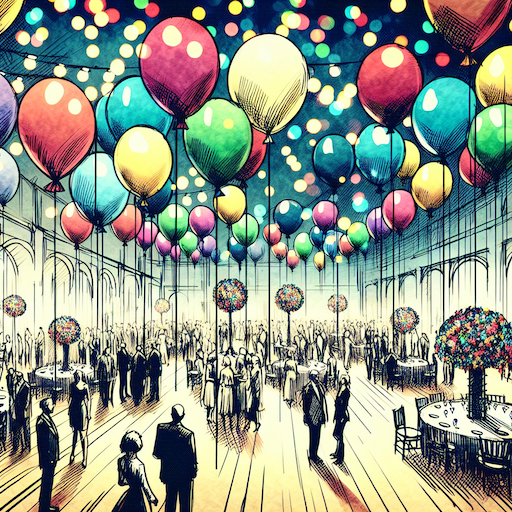 balloon party
 beautiful beach
 cute puppy dog
 happy cat
 house
house