Info
Created On: January 22, 2026
Created By: User #11420


SVG Code
                    <!--


Generated by DrawGPT.

Free, open source, AI generated images in SVG, PNG, and HTML Canvas format.

https://drawgpt.ai


Created: 2026-01-22T16:26:07+00:00

-->

<svg   viewBox="0 0 512 512" xmlns="http://www.w3.org/2000/svg" xmlns:xlink="http://www.w3.org/1999/xlink">

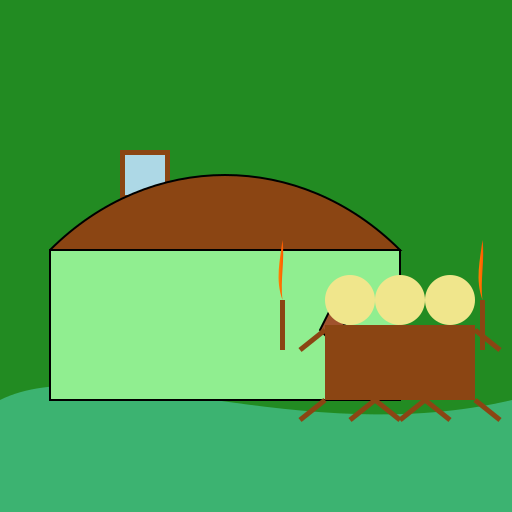
  <title>Ogre Hunt: Scene 2</title>

  <desc>Villagers on a comedic ogre hunt. Did you know ogres prefer gluten-free snacks?</desc>

  <metadata type="keywords">ogre, hunt, villagers, swamp, comedy</metadata>

  <defs>

    <linearGradient id="torchGradient" x1="0%" y1="0%" x2="100%" y2="0%">

      <stop offset="0%" stop-color="#FFA500"/>

      <stop offset="100%" stop-color="#FF4500"/>

    </linearGradient>

    <linearGradient id="doorGradient" x1="0%" y1="0%" x2="0%" y2="100%">

      <stop offset="0%" stop-color="#8B4513"/>

      <stop offset="100%" stop-color="#A0522D"/>

    </linearGradient>

    <filter id="blurFilter" x="-50%" y="-50%" width="200%" height="200%">

      <feGaussianBlur in="SourceGraphic" stdDeviation="3"/>

    </filter>

  </defs>

  <rect id="background" class="background" width="512" height="512" fill="#228B22"/>

  <path id="ground" class="ground" d="M0,400 C100,350 300,450 512,400 L512,512 L0,512 Z" fill="#3CB371"/>

  <g id="shrekHouse" class="shrekHouse">

    <path id="door" class="door" d="M100,250 C120,350 250,350 270,250 L270,400 L100,400 Z" fill="url(#doorGradient)" stroke="#000" stroke-width="2"/>

    <rect id="windowFrame" class="windowFrame" x="120" y="150" width="50" height="50" fill="#8B4513"/>

    <rect id="windowGlass" class="windowGlass" x="125" y="155" width="40" height="40" fill="#ADD8E6"/>

    <path id="roof" class="roof" d="M50,250 C150,150 300,150 400,250 L50,250" fill="#8B4513" stroke="#000" stroke-width="2"/>

    <path id="wall" class="wall" d="M50,250 L400,250 L400,400 L50,400 Z" fill="#90EE90" stroke="#000" stroke-width="2"/>

  </g>

  <g id="villager1" class="villager">

    <circle id="head1" class="head" cx="400" cy="300" r="25" fill="#F0E68C"/>

    <rect id="body1" class="body" x="375" y="325" width="50" height="75" fill="#8B4513"/>

    <line id="arm1_1" class="arm" x1="375" y1="330" x2="350" y2="350" stroke="#8B4513" stroke-width="5"/>

    <line id="arm1_2" class="arm" x1="425" y1="330" x2="450" y2="350" stroke="#8B4513" stroke-width="5"/>

    <line id="leg1_1" class="leg" x1="375" y1="400" x2="350" y2="420" stroke="#8B4513" stroke-width="5"/>

    <line id="leg1_2" class="leg" x1="425" y1="400" x2="450" y2="420" stroke="#8B4513" stroke-width="5"/>

    <path id="pitchfork1" class="pitchfork" d="M340,350 L320,330 L330,310 L350,330 Z" fill="#A0522D" stroke="#000" stroke-width="2"/>

  </g>

  <g id="villager2" class="villager">

    <circle id="head2" class="head" cx="450" cy="300" r="25" fill="#F0E68C"/>

    <rect id="body2" class="body" x="425" y="325" width="50" height="75" fill="#8B4513"/>

    <line id="arm2_1" class="arm" x1="425" y1="330" x2="400" y2="350" stroke="#8B4513" stroke-width="5"/>

    <line id="arm2_2" class="arm" x1="475" y1="330" x2="500" y2="350" stroke="#8B4513" stroke-width="5"/>

    <line id="leg2_1" class="leg" x1="425" y1="400" x2="400" y2="420" stroke="#8B4513" stroke-width="5"/>

    <line id="leg2_2" class="leg" x1="475" y1="400" x2="500" y2="420" stroke="#8B4513" stroke-width="5"/>

    <g id="torch2" class="torch">

      <rect id="torchHandle2" class="torchHandle" x="480" y="300" width="5" height="50" fill="#8B4513"/>

      <path id="torchFlame2" class="torchFlame" d="M482.5,300 C480,280 485,260 482.5,240 C480,260 475,280 482.5,300" fill="url(#torchGradient)">

        <animate attributeName="d" values="M482.5,300 C480,280 485,260 482.5,240 C480,260 475,280 482.5,300;M482.5,300 C485,285 480,265 482.5,245 C485,265 490,285 482.5,300;M482.5,300 C480,280 485,260 482.5,240 C480,260 475,280 482.5,300" dur="5s" repeatCount="indefinite"/>

      </path>

    </g>

  </g>

  <g id="villager3" class="villager">

    <circle id="head3" class="head" cx="350" cy="300" r="25" fill="#F0E68C"/>

    <rect id="body3" class="body" x="325" y="325" width="50" height="75" fill="#8B4513"/>

    <line id="arm3_1" class="arm" x1="325" y1="330" x2="300" y2="350" stroke="#8B4513" stroke-width="5"/>

    <line id="arm3_2" class="arm" x1="375" y1="330" x2="400" y2="350" stroke="#8B4513" stroke-width="5"/>

    <line id="leg3_1" class="leg" x1="325" y1="400" x2="300" y2="420" stroke="#8B4513" stroke-width="5"/>

    <line id="leg3_2" class="leg" x1="375" y1="400" x2="400" y2="420" stroke="#8B4513" stroke-width="5"/>

    <g id="torch3" class="torch">

      <rect id="torchHandle3" class="torchHandle" x="280" y="300" width="5" height="50" fill="#8B4513"/>

      <path id="torchFlame3" class="torchFlame" d="M282.5,300 C280,280 285,260 282.5,240 C280,260 275,280 282.5,300" fill="url(#torchGradient)">

        <animate attributeName="d" values="M282.5,300 C280,280 285,260 282.5,240 C280,260 275,280 282.5,300;M282.5,300 C285,285 280,265 282.5,245 C285,265 290,285 282.5,300;M282.5,300 C280,280 285,260 282.5,240 C280,260 275,280 282.5,300" dur="5s" repeatCount="indefinite"/>

      </path>

    </g>

  </g>

  <animateTransform xlink:href="#shrekHouse" attributeName="transform" attributeType="XML" type="translate" values="0,0; 5,0; 0,0" dur="5s" repeatCount="indefinite"/>

</svg>
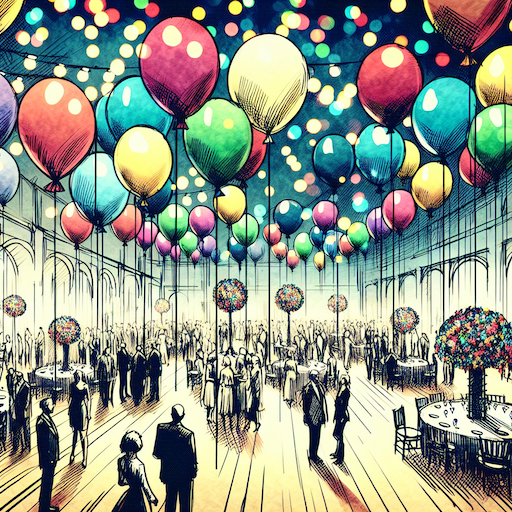 balloon party
 beautiful beach
 cute puppy dog
 happy cat
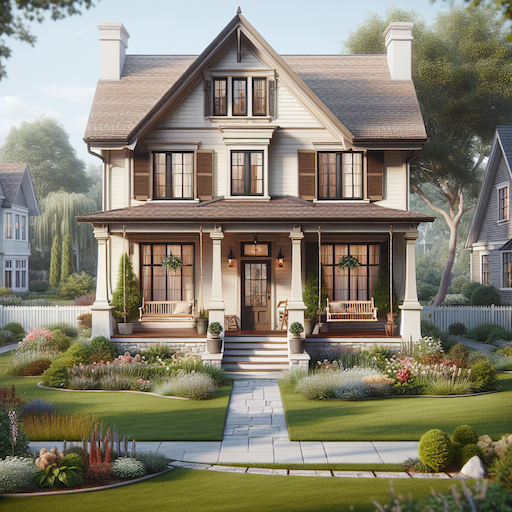 house
house