Info
Created On: January 9, 2026
Created By: User #16881

SVG Code
                    <!--


Generated by DrawGPT.

Free, open source, AI generated images in SVG, PNG, and HTML Canvas format.

https://drawgpt.ai


Created: 2026-01-09T20:55:41+00:00

-->

<svg   viewBox="0 0 512 512" xmlns="http://www.w3.org/2000/svg" xmlns:xlink="http://www.w3.org/1999/xlink">

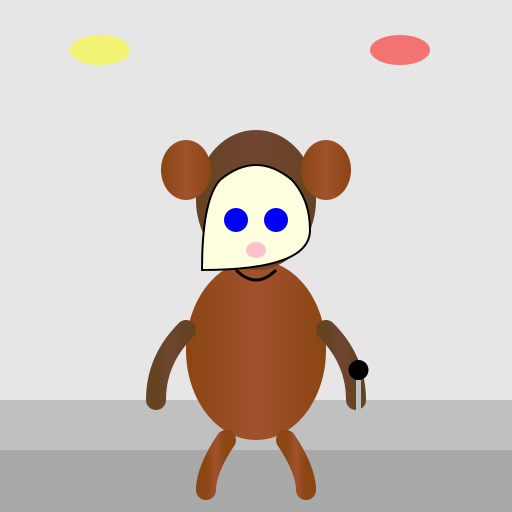
  <title>Showbiz Chuck E. Cheese Redo</title>

  <desc>Chuck E. Cheese gets a makeover!  Did you know Chuck E. Cheese was originally a rat named Rick Rat?</desc>

  <metadata type="keywords">Chuck E. Cheese, Showbiz Pizza, animatronic, mascot, redo</metadata>

  <defs>

    <linearGradient id="gradient-fur-1" x1="0%" y1="0%" x2="100%" y2="0%">

      <stop offset="0%" stop-color="#8B4513"/>

      <stop offset="50%" stop-color="#A0522D"/>

      <stop offset="100%" stop-color="#8B4513"/>

    </linearGradient>

    <linearGradient id="gradient-fur-2" x1="0%" y1="0%" x2="100%" y2="0%">

      <stop offset="0%" stop-color="#654321"/>

      <stop offset="50%" stop-color="#704632"/>

      <stop offset="100%" stop-color="#654321"/>

    </linearGradient>

  </defs>

  <rect id="background" class="background" width="512" height="512" fill="#E6E6E6"/>

  <!-- Stage Lights -->

  <ellipse id="light1" class="light" cx="100" cy="50" rx="30" ry="15" fill="yellow" opacity="0.5">

    <animate attributeName="opacity" values="0.5; 0.9; 0.5" dur="5s" repeatCount="indefinite"/>

  </ellipse>

  <ellipse id="light2" class="light" cx="400" cy="50" rx="30" ry="15" fill="red" opacity="0.5">

    <animate attributeName="opacity" values="0.5; 0.9; 0.5" dur="5s" repeatCount="indefinite" begin="0.5s"/>

  </ellipse>

  <!-- Stage -->

  <rect id="stage" class="stage" x="0" y="400" width="512" height="112" fill="#C0C0C0"/>

  <rect id="stage-front" class="stage-front" x="0" y="450" width="512" height="62" fill="#A9A9A9"/>

  <!-- Chuck E. Cheese -->

  <g id="chuck" class="chuck">

    <!-- Body -->

    <ellipse id="body" class="body" cx="256" cy="350" rx="70" ry="90" fill="url(#gradient-fur-1)"/>

    <!-- Head -->

    <ellipse id="head" class="head" cx="256" cy="200" rx="60" ry="70" fill="url(#gradient-fur-2)"/>

    <!-- Ears -->

    <ellipse id="ear-left" class="ear" cx="186" cy="170" rx="25" ry="30" fill="url(#gradient-fur-1)"/>

    <ellipse id="ear-right" class="ear" cx="326" cy="170" rx="25" ry="30" fill="url(#gradient-fur-1)"/>

    <!-- Faceplate -->

    <path id="faceplate" class="faceplate" d="M220 180 Q256 150, 292 180 Q310 200, 310 230 Q310 270, 202 270 Q202 200, 220 180" fill="#FFFFE0" stroke="black" stroke-width="2"/>

    <!-- Eyes -->

    <circle id="eye-left" class="eye" cx="236" cy="220" r="12" fill="blue"/>

    <circle id="eye-right" class="eye" cx="276" cy="220" r="12" fill="blue"/>

    <!-- Nose -->

    <ellipse id="nose" class="nose" cx="256" cy="250" rx="10" ry="8" fill="pink"/>

    <!-- Mouth -->

    <path id="mouth" class="mouth" d="M236 270 Q256 290, 276 270" stroke="black" stroke-width="3" fill="none"/>

    <!-- Arms -->

    <path id="arm-left" class="arm" d="M186 330 Q156 360, 156 400" stroke="url(#gradient-fur-2)" stroke-width="20" stroke-linecap="round"/>

    <path id="arm-right" class="arm" d="M326 330 Q356 360, 356 400" stroke="url(#gradient-fur-2)" stroke-width="20" stroke-linecap="round"/>

    <!-- Legs -->

    <path id="leg-left" class="leg" d="M226 440 Q206 470, 206 490" stroke="url(#gradient-fur-1)" stroke-width="20" stroke-linecap="round"/>

    <path id="leg-right" class="leg" d="M286 440 Q306 470, 306 490" stroke="url(#gradient-fur-1)" stroke-width="20" stroke-linecap="round"/>

    <!-- Microphone -->

    <g id="microphone" class="microphone">

      <rect id="mic-stand" class="mic-stand" x="356" y="380" width="5" height="70" fill="silver"/>

      <circle id="mic-head" class="mic-head" cx="358.5" cy="370" r="10" fill="black"/>

    </g>

    <!-- Arm Movement Animation -->

    <animateTransform xlink:href="#arm-right" attributeName="transform" type="rotate" from="0 326 330" to="10 326 330" dur="2.5s" repeatCount="indefinite"/>

    <animateTransform xlink:href="#arm-right" attributeName="transform" type="rotate" from="10 326 330" to="0 326 330" begin="2.5s" dur="2.5s" repeatCount="indefinite"/>

    <animateTransform xlink:href="#arm-left" attributeName="transform" type="rotate" from="0 186 330" to="-10 186 330" dur="2.5s" repeatCount="indefinite"/>

    <animateTransform xlink:href="#arm-left" attributeName="transform" type="rotate" from="-10 186 330" to="0 186 330" begin="2.5s" dur="2.5s" repeatCount="indefinite"/>

  </g>

</svg>
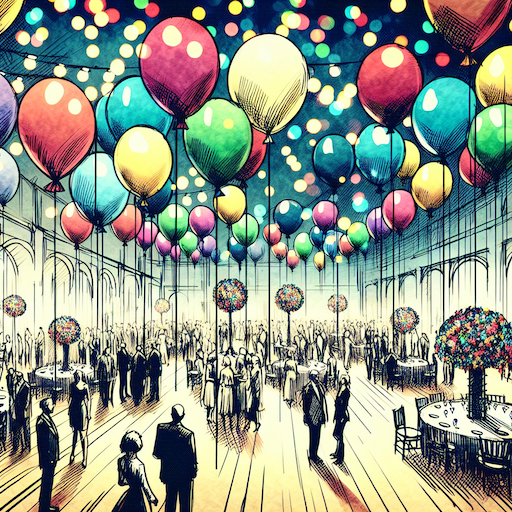 balloon party
 beautiful beach
 cute puppy dog
 happy cat
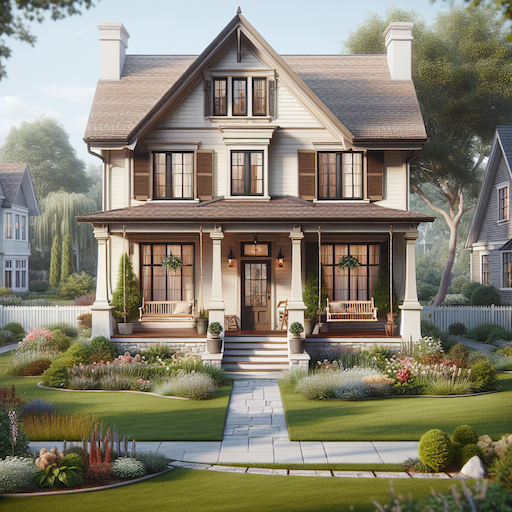 house
house