Info
Created On: January 1, 2026
Created By: User #16829


SVG Code
                    <!--


Generated by DrawGPT.

Free, open source, AI generated images in SVG, PNG, and HTML Canvas format.

https://drawgpt.ai


Created: 2026-01-01T13:46:05+00:00

-->

<svg   viewBox="0 0 512 512" xmlns="http://www.w3.org/2000/svg" xmlns:xlink="http://www.w3.org/1999/xlink">

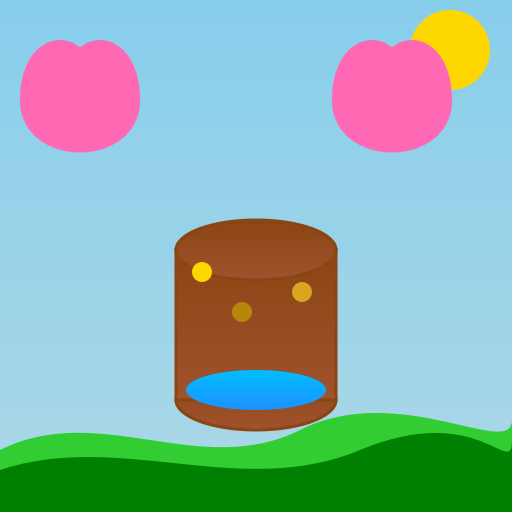
  <title>Wishing Well of Wonderful Things</title>

  <desc>Sending good vibes and wishes for health, wealth, and joy. Fun fact: The Wishing Well fountain in Rome takes in approximately $3,700 a day in coins!</desc>

  <metadata type="keywords">Wishing well, new year, good luck, health, wealth, joy</metadata>

  <defs>

    <linearGradient id="gradient-sky" y2="1" x2="0" y1="0" x1="0">

      <stop offset="0%" stop-color="#87CEEB"/>

      <stop offset="100%" stop-color="#ADD8E6"/>

    </linearGradient>

    <linearGradient id="gradient-well" y2="1" x2="0" y1="0" x1="0">

      <stop offset="0%" stop-color="#8B4513"/>

      <stop offset="100%" stop-color="#A0522D"/>

    </linearGradient>

    <linearGradient id="gradient-water" y2="1" x2="0" y1="0" x1="0">

      <stop offset="0%" stop-color="#00BFFF"/>

      <stop offset="100%" stop-color="#1E90FF"/>

    </linearGradient>

    <filter id="dropShadow" height="130%">

      <feGaussianBlur in="SourceAlpha" stdDeviation="3"/>

      <feOffset dx="2" dy="2" result="offsetblur"/>

      <feComponentTransfer in="offsetblur" result="offsetblur">

        <feFuncA type="linear" slope="0.5"/>

      </feComponentTransfer>

      <feMerge>

        <feMergeNode in="offsetblur"/>

        <feMergeNode in="SourceGraphic"/>

      </feMerge>

    </filter>

  </defs>

  <rect id="background" class="sky" width="512" height="512" fill="url(#gradient-sky)"/>

  <ellipse id="sun" class="sun" cx="450" cy="50" rx="40" ry="40" fill="#FFD700">

    <animate attributeName="opacity" values="1;0.8;1" dur="5s" repeatCount="indefinite"/>

  </ellipse>

  <path id="grass1" class="grass" d="M0,450 C100,400 200,480 300,430 C400,380 512,460 512,420 L512,512 L0,512 Z" fill="#32CD32"/>

  <path id="grass2" class="grass" d="M0,470 C120,430 240,500 360,450 C480,400 512,480 512,440 L512,512 L0,512 Z" fill="#008000"/>

  <ellipse id="well-base" class="well" cx="256" cy="400" rx="80" ry="30" fill="url(#gradient-well)" stroke="#8B4513" stroke-width="3"/>

  <rect id="well-wall" class="well" x="176" y="250" width="160" height="150" fill="url(#gradient-well)" stroke="#8B4513" stroke-width="3"/>

  <ellipse id="well-top" class="well" cx="256" cy="250" rx="80" ry="30" fill="url(#gradient-well)" stroke="#8B4513" stroke-width="3"/>

  <ellipse id="water" class="water" cx="256" cy="390" rx="70" ry="20" fill="url(#gradient-water)">

    <animate attributeName="cy" values="390;385;390" dur="5s" repeatCount="indefinite"/>

  </ellipse>

  <circle id="coin1" class="coin" cx="200" cy="270" r="10" fill="#FFD700" filter="url(#dropShadow)">

    <animate attributeName="cy" values="270;390" dur="1s" repeatCount="indefinite"/>

  </circle>

  <circle id="coin2" class="coin" cx="300" cy="290" r="10" fill="#DAA520" filter="url(#dropShadow)">

    <animate attributeName="cy" values="290;390" dur="1.2s" begin="0.2s" repeatCount="indefinite"/>

  </circle>

  <circle id="coin3" class="coin" cx="240" cy="310" r="10" fill="#B8860B" filter="url(#dropShadow)">

    <animate attributeName="cy" values="310;390" dur="1.3s" begin="0.4s" repeatCount="indefinite"/>

  </circle>

  <path id="heart1" class="heart" d="M100,100 C100,20 20,20 20,100 C20,170 140,170 140,100 C140,20 60,20 60,100" fill="#FF69B4">

    <animate attributeName="opacity" values="0;1;0" dur="5s" repeatCount="indefinite"/>

  </path>

  <path id="heart2" class="heart" d="M412,100 C412,20 332,20 332,100 C332,170 452,170 452,100 C452,20 372,20 372,100" fill="#FF69B4">

    <animate attributeName="opacity" values="0;1;0" begin="0.5s" dur="5s" repeatCount="indefinite"/>

  </path>

</svg>
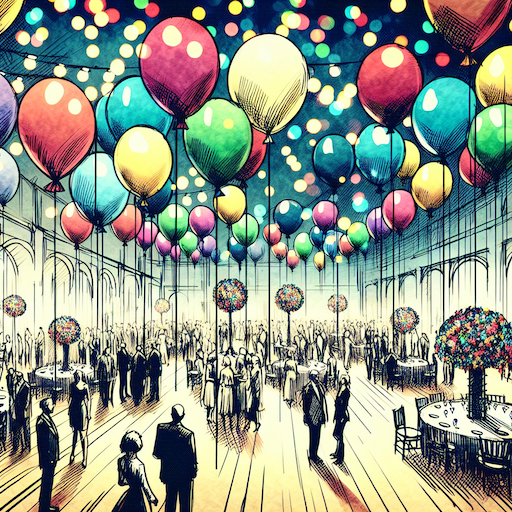 balloon party
 beautiful beach
 cute puppy dog
 happy cat
 house
house