
Info
Created On: December 26, 2025
Created By: User #16792


SVG Code
                    <!--


Generated by DrawGPT.

Free, open source, AI generated images in SVG, PNG, and HTML Canvas format.

https://drawgpt.ai


Created: 2025-12-26T23:11:47+00:00

-->

<svg   viewBox="0 0 512 512" xmlns="http://www.w3.org/2000/svg" xmlns:xlink="http://www.w3.org/1999/xlink">

  <title>Moonlit Marsh Infinity</title>

  <desc>The moon's reflection in the marsh decided to get mathy.  Maybe it's trying to solve for X!</desc>

  <metadata type="keywords">moon, marsh, reflection, figure 8, infinity, night</metadata>

  <defs>

    <linearGradient id="skyGradient" x1="0%" y1="0%" x2="0%" y2="100%">

      <stop offset="0%" style="stop-color:#222;stop-opacity:1" id="stop1"/>

      <stop offset="100%" style="stop-color:#555;stop-opacity:1" id="stop2"/>

    </linearGradient>

    <linearGradient id="marshGradient" x1="0%" y1="0%" x2="0%" y2="100%">

      <stop offset="0%" style="stop-color:#333;stop-opacity:1" id="stop3"/>

      <stop offset="100%" style="stop-color:#444;stop-opacity:1" id="stop4"/>

    </linearGradient>

    <radialGradient id="moonGradient" cx="50%" cy="50%" r="50%" fx="50%" fy="50%">

      <stop offset="0%" style="stop-color:#fff;stop-opacity:1" id="stop5"/>

      <stop offset="100%" style="stop-color:#ddd;stop-opacity:1" id="stop6"/>

    </radialGradient>

  </defs>


  <rect width="512" height="512" fill="url(#skyGradient)" id="sky"/>


  <ellipse class="moon" id="moonEllipse" cx="256" cy="100" rx="50" ry="50" fill="url(#moonGradient)">

    <animate attributeName="cy" from="100" to="90" dur="5s" repeatCount="indefinite" begin="0s" id="moonAnim1"/>

    <animate attributeName="rx" from="50" to="52" dur="5s" repeatCount="indefinite" begin="0s" id="moonAnim2"/>

    <animate attributeName="ry" from="50" to="52" dur="5s" repeatCount="indefinite" begin="0s" id="moonAnim3"/>

  </ellipse>


  <rect width="512" height="256" y="256" fill="url(#marshGradient)" id="marsh"/>


  <ellipse class="moonReflection" id="moonReflectionEllipse" cx="256" cy="412" rx="50" ry="50" fill="url(#moonGradient)" opacity="0.7">

    <animate attributeName="cy" from="412" to="422" dur="5s" repeatCount="indefinite" begin="0s" id="moonReflectionAnim1"/>

    <animate attributeName="rx" from="50" to="52" dur="5s" repeatCount="indefinite" begin="0s" id="moonReflectionAnim2"/>

    <animate attributeName="ry" from="50" to="52" dur="5s" repeatCount="indefinite" begin="0s" id="moonReflectionAnim3"/>

  </ellipse>


  <path class="marshRipple" id="ripple1" d="M 100 384 C 150 394, 350 394, 400 384" stroke="#666" stroke-width="2" fill="none">

    <animate attributeName="d"

             values="M 100 384 C 150 394, 350 394, 400 384;

                     M 100 384 C 150 389, 350 389, 400 384;

                     M 100 384 C 150 394, 350 394, 400 384"

             dur="5s" repeatCount="indefinite" id="ripple1Anim"/>

  </path>


  <path class="marshRipple" id="ripple2" d="M 100 424 C 150 434, 350 434, 400 424" stroke="#666" stroke-width="2" fill="none">

    <animate attributeName="d"

             values="M 100 424 C 150 434, 350 434, 400 424;

                     M 100 424 C 150 429, 350 429, 400 424;

                     M 100 424 C 150 434, 350 434, 400 424"

             dur="5s" repeatCount="indefinite" begin="0.5s" id="ripple2Anim"/>

  </path>


  <path class="marshGrass" id="grass1" d="M 50 256 C 55 246, 53 236, 50 226" stroke="#555" stroke-width="3" fill="none"/>

  <path class="marshGrass" id="grass2" d="M 462 256 C 457 246, 459 236, 462 226" stroke="#555" stroke-width="3" fill="none"/>


  <path class="stars" id="star1" d="M 70 50 L 75 60 L 85 62 L 78 70 L 75 80 L 70 75 L 65 80 L 62 70 L 55 62 L 65 60 Z" fill="#fff" opacity="0.5">

    <animate attributeName="opacity" from="0.5" to="0.8" dur="2.5s" repeatCount="indefinite" id="starAnim1"/>

    <animate attributeName="opacity" from="0.8" to="0.5" dur="2.5s" repeatCount="indefinite" begin="2.5s" id="starAnim2"/>

  </path>

  <path class="stars" id="star2" d="M 400 150 L 405 160 L 415 162 L 408 170 L 405 180 L 400 175 L 395 180 L 392 170 L 385 162 L 395 160 Z" fill="#fff" opacity="0.5">

    <animate attributeName="opacity" from="0.5" to="0.8" dur="2.5s" repeatCount="indefinite" begin="0.2s" id="starAnim3"/>

    <animate attributeName="opacity" from="0.8" to="0.5" dur="2.5s" repeatCount="indefinite" begin="2.7s" id="starAnim4"/>

  </path>

  <path class="stars" id="star3" d="M 150 20 L 155 30 L 165 32 L 158 40 L 155 50 L 150 45 L 145 50 L 142 40 L 135 32 L 145 30 Z" fill="#fff" opacity="0.5">

    <animate attributeName="opacity" from="0.5" to="0.8" dur="2.5s" repeatCount="indefinite" begin="0.4s" id="starAnim5"/>

    <animate attributeName="opacity" from="0.8" to="0.5" dur="2.5s" repeatCount="indefinite" begin="2.9s" id="starAnim6"/>

  </path>

</svg>
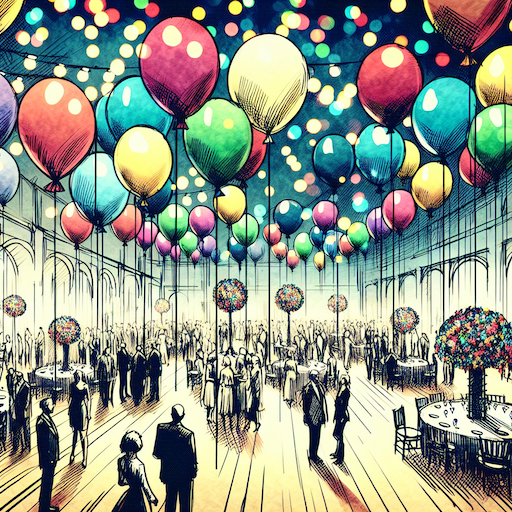 balloon party
 beautiful beach
 cute puppy dog
 happy cat
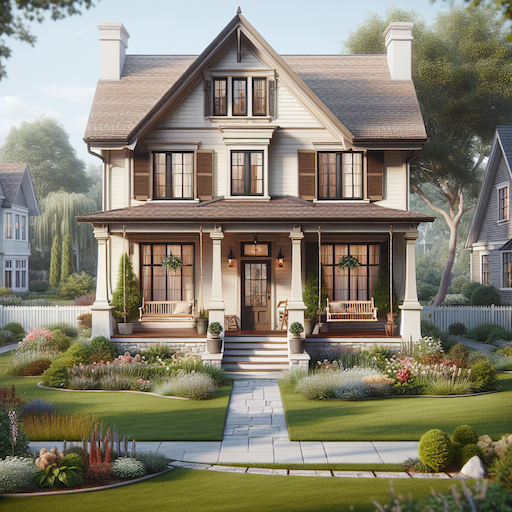 house
house